ChatToDash
For people who work with Claude and Codex

AI DASHBOARDS

Dashboards for running your work, straight from the chat.

Pick a template and start working - as it is, or tailored to your needs. The dashboard is built on your computer, and the Claude or Codex you already work with can update it directly: add tasks from a conversation, gather information, open tabs, change the view and set up automatic updates. Just write what you need.

Every template is a starting point you can keep changing as you work. No code or design skills, no extra account and no extra subscription.

How does it work?
9 dashboards
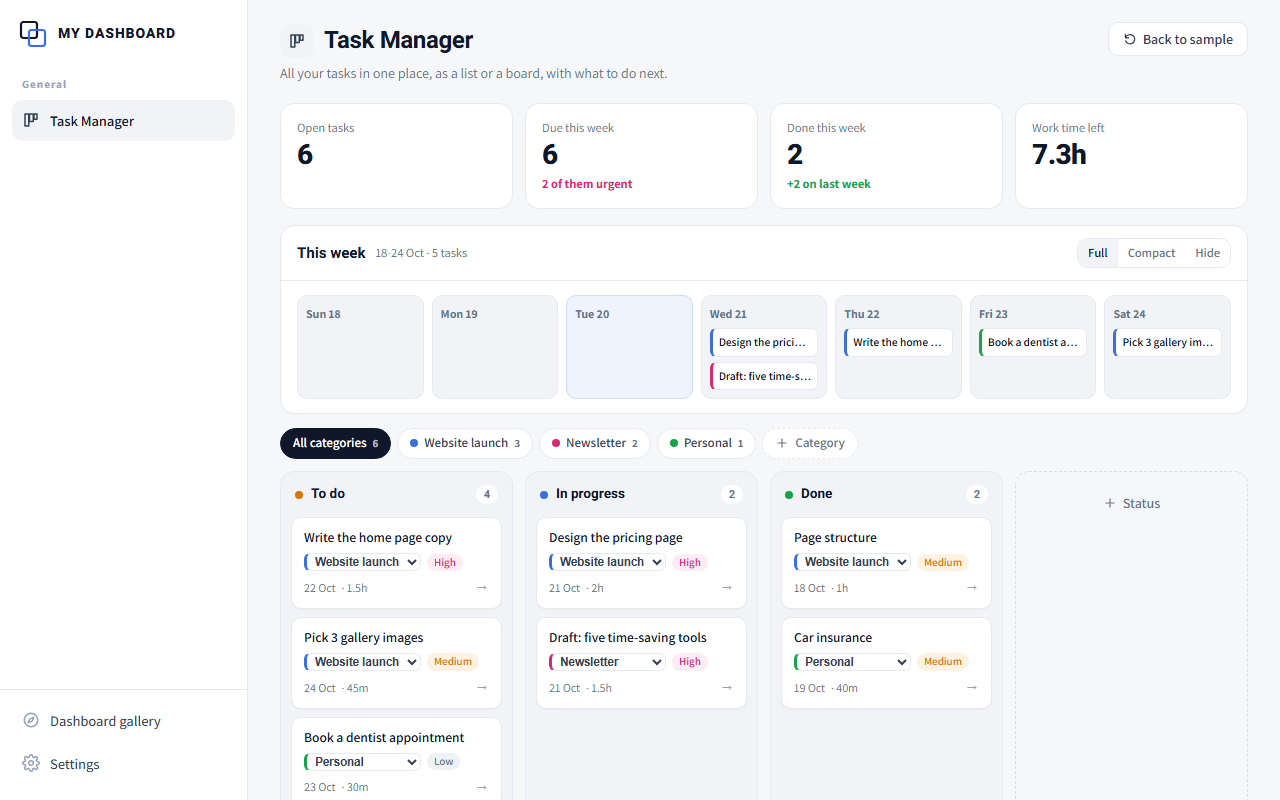
Task Manager: All previews show sample data only.
ניהול משימות

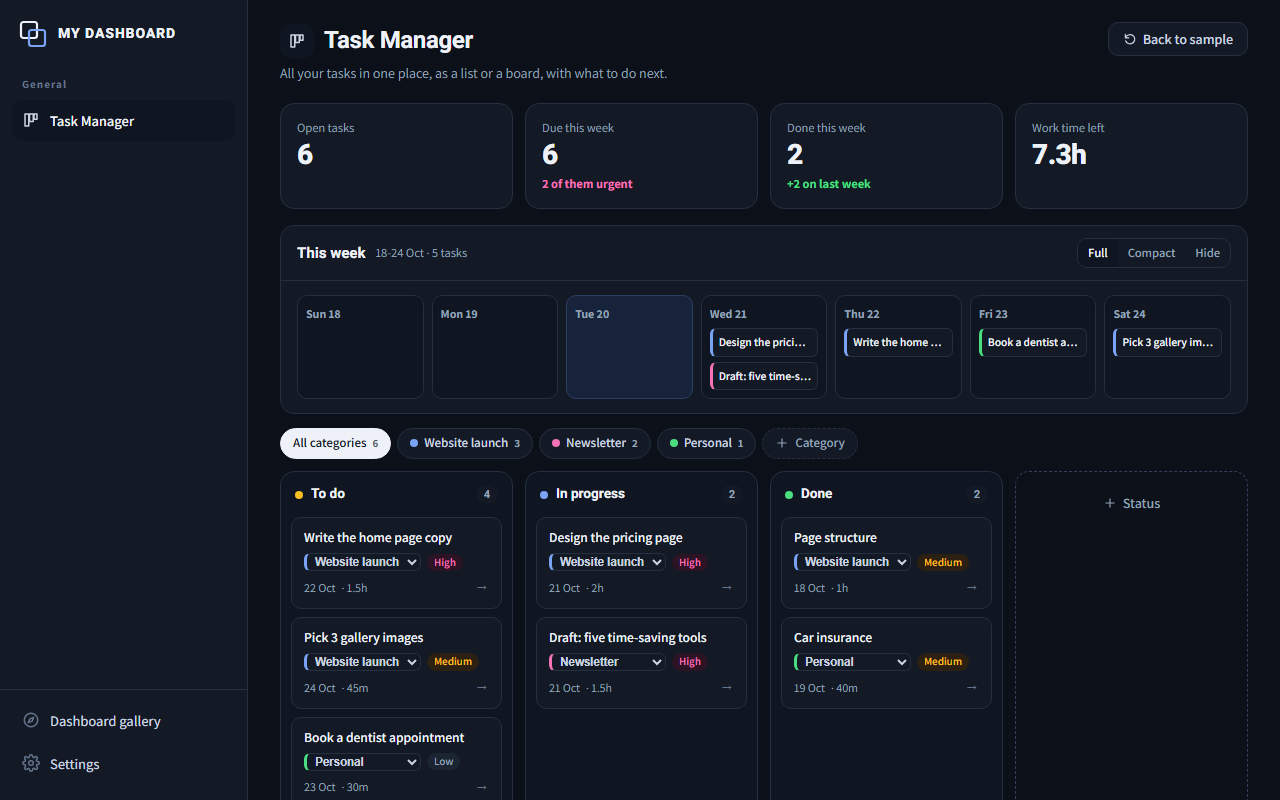
Task Manager

All your tasks in one place, as a list or a board, with what to do next.
Build prompt

Task Manager

  1. Copy the prompt.
  2. Open Claude Code, Codex or a desktop AI app that works with folders, and paste it.
  3. Answer a few short questions and get your own dashboard, empty and ready to fill.
Dashboard language
The AI will talk to you in English and build the dashboard in English.

Already installed one? The AI finds the ChatToDash folder on your computer and asks whether to add to it, so all your dashboards share one menu.

More details
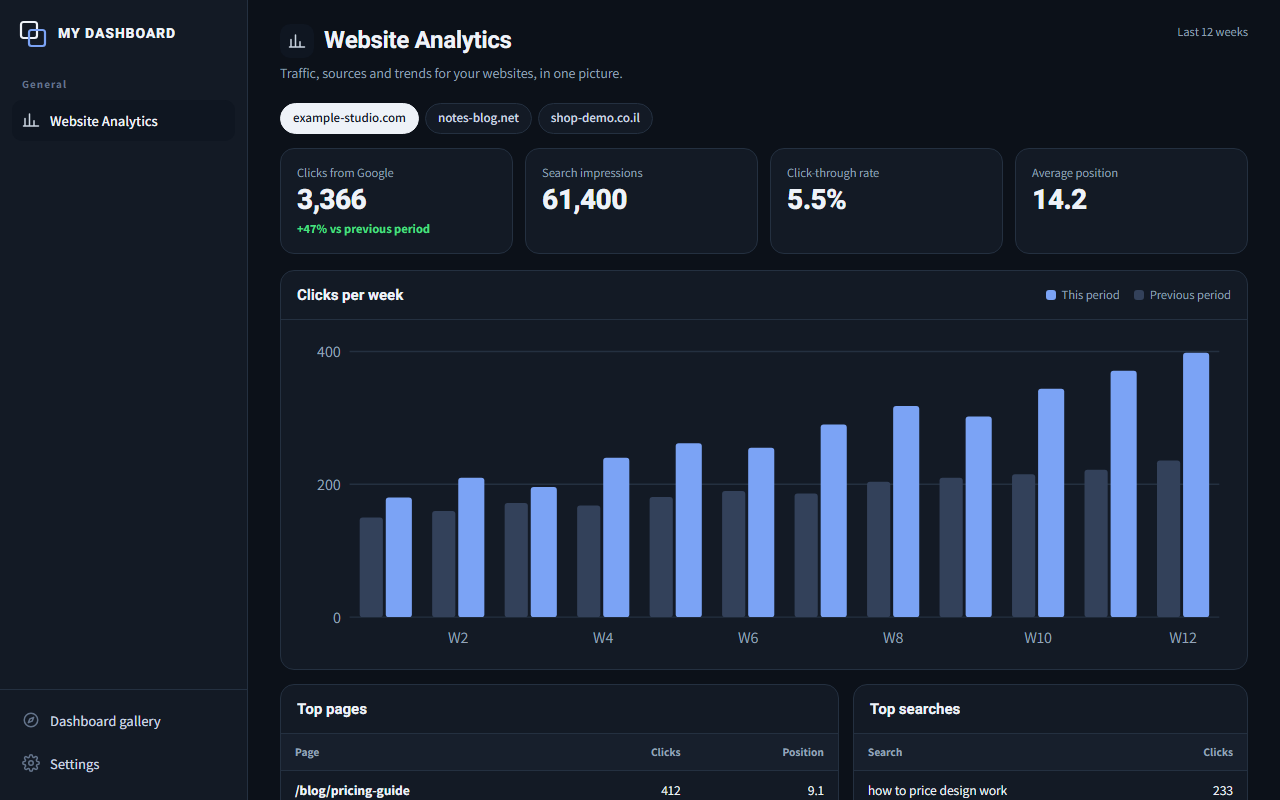
Website Analytics: All previews show sample data only.
נתוני אתרים

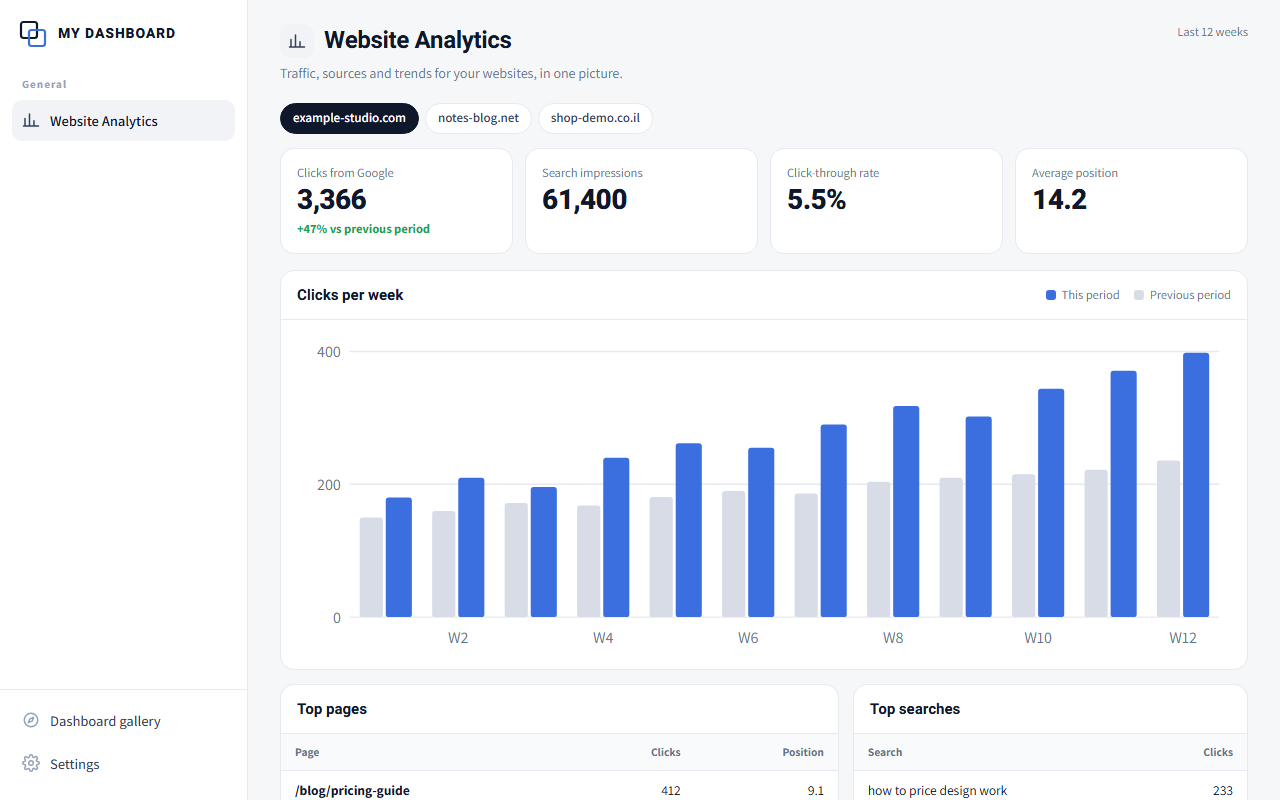
Website Analytics

Traffic, sources and trends for your websites, in one picture.
Build prompt

Website Analytics

  1. Copy the prompt.
  2. Open Claude Code, Codex or a desktop AI app that works with folders, and paste it.
  3. Answer a few short questions and get your own dashboard, empty and ready to fill.
Dashboard language
The AI will talk to you in English and build the dashboard in English.

Already installed one? The AI finds the ChatToDash folder on your computer and asks whether to add to it, so all your dashboards share one menu.

More details
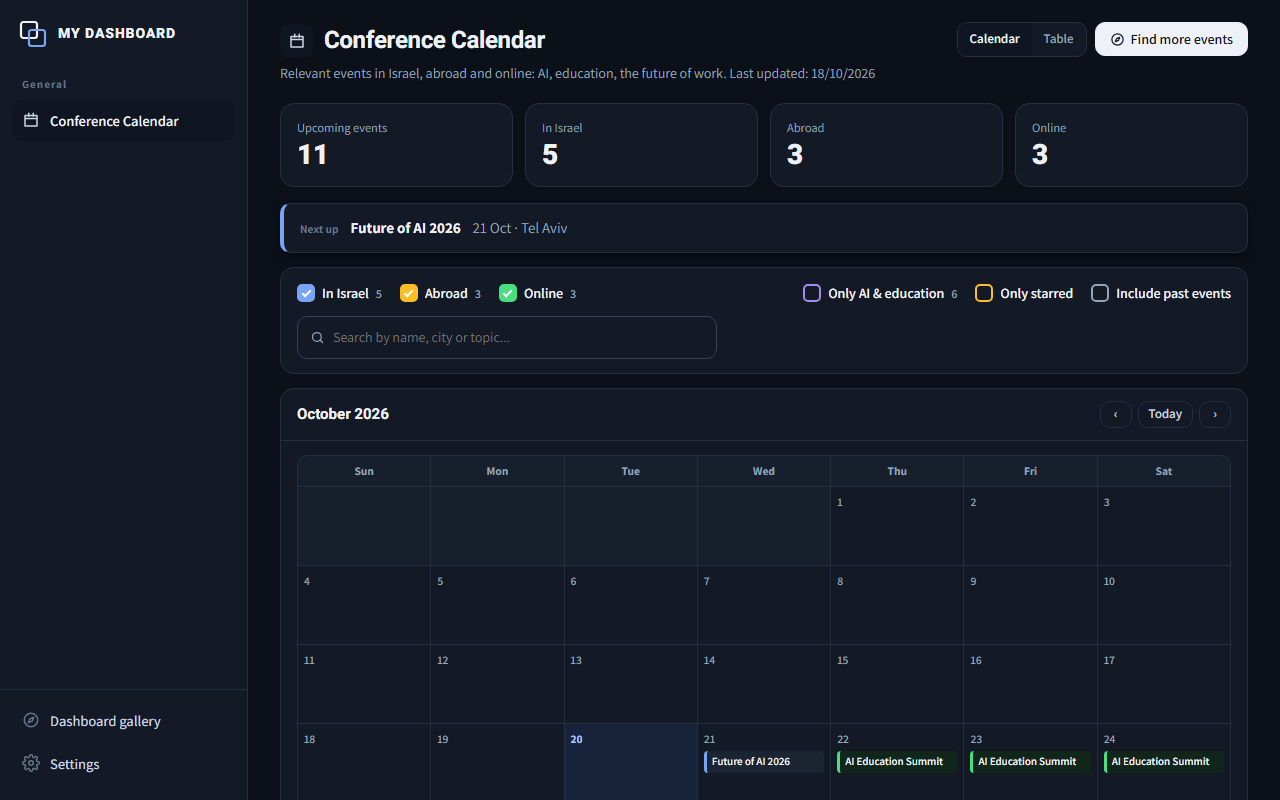
Conference Calendar: All previews show sample data only.
יומן כנסים

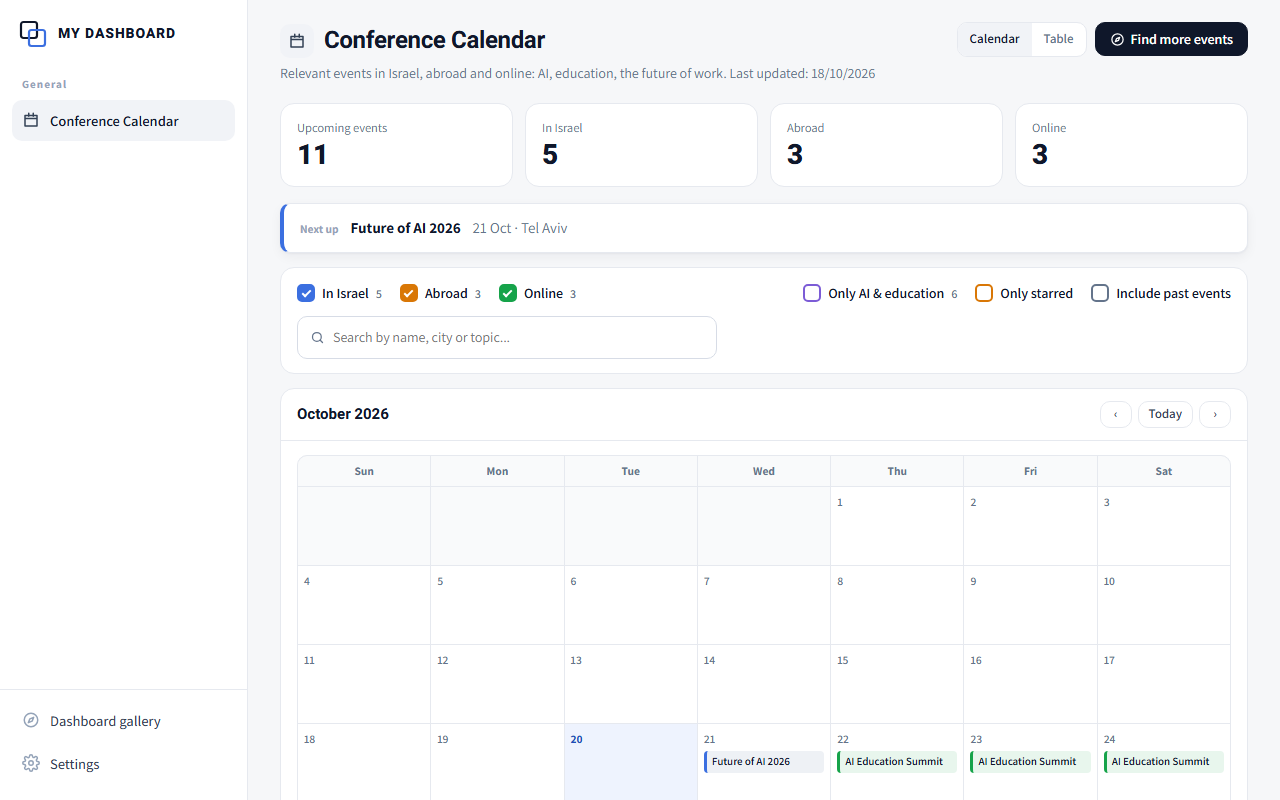
Conference Calendar

Conferences, meetups and workshops in your field, on one calendar.
Build prompt

Conference Calendar

  1. Copy the prompt.
  2. Open Claude Code, Codex or a desktop AI app that works with folders, and paste it.
  3. Answer a few short questions and get your own dashboard, empty and ready to fill.
Dashboard language
The AI will talk to you in English and build the dashboard in English.

Already installed one? The AI finds the ChatToDash folder on your computer and asks whether to add to it, so all your dashboards share one menu.

More details
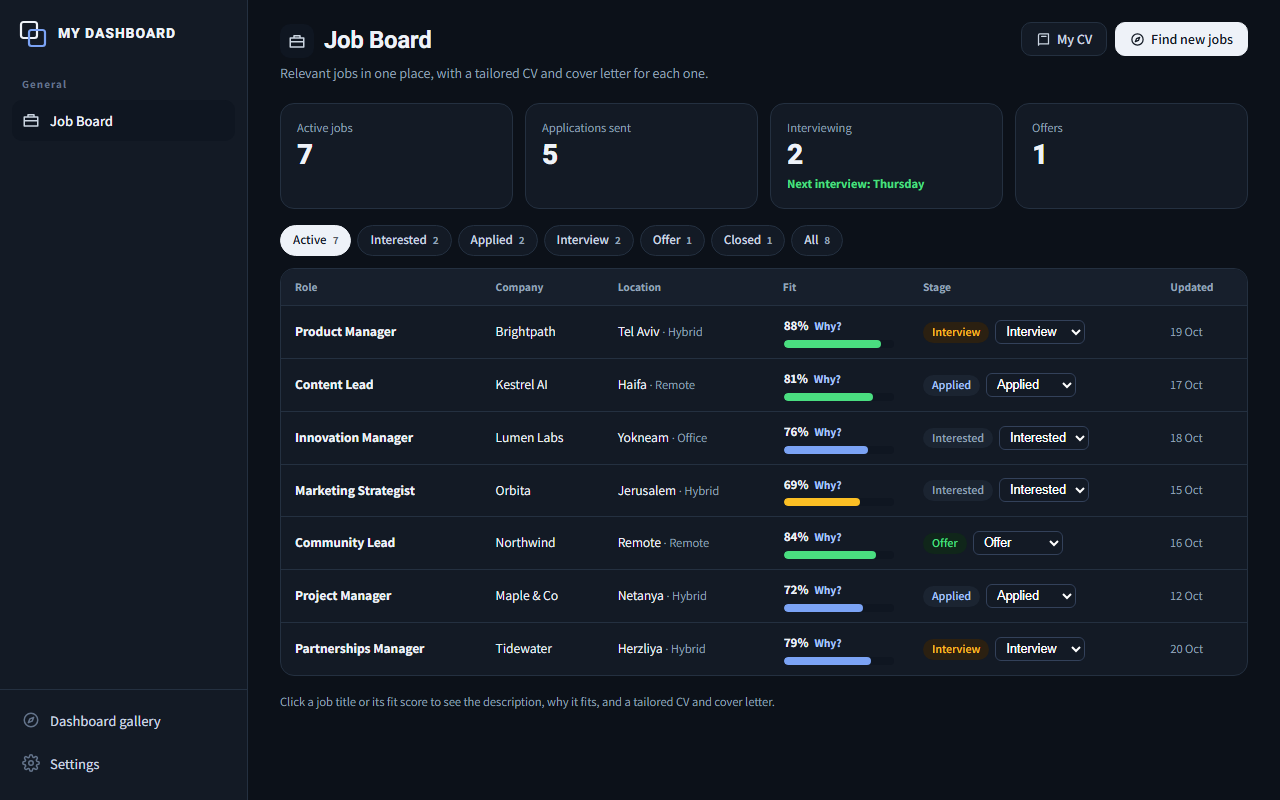
Job Board: All previews show sample data only.
לוח משרות

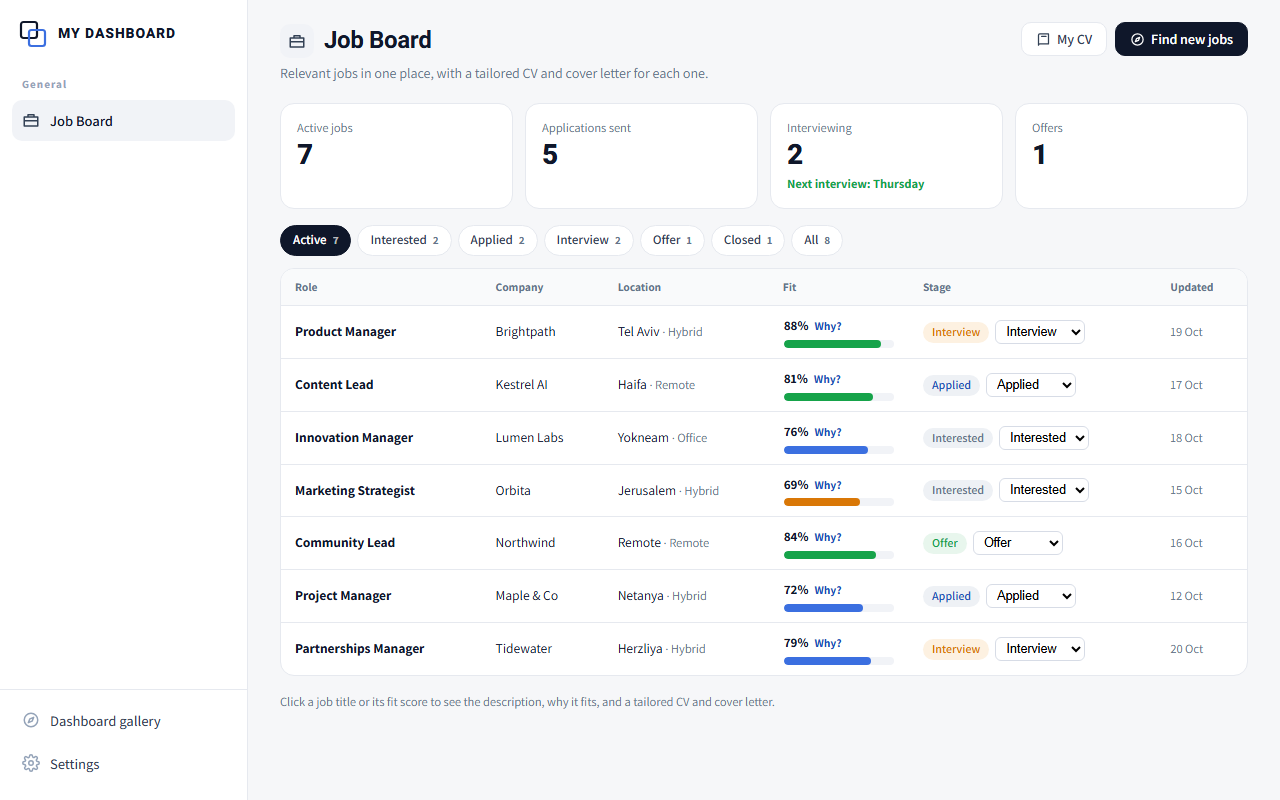
Job Board

Relevant jobs in one place, with a tailored CV and cover letter for each one.
Build prompt

Job Board

  1. Copy the prompt.
  2. Open Claude Code, Codex or a desktop AI app that works with folders, and paste it.
  3. Answer a few short questions and get your own dashboard, empty and ready to fill.
Dashboard language
The AI will talk to you in English and build the dashboard in English.

Already installed one? The AI finds the ChatToDash folder on your computer and asks whether to add to it, so all your dashboards share one menu.

More details
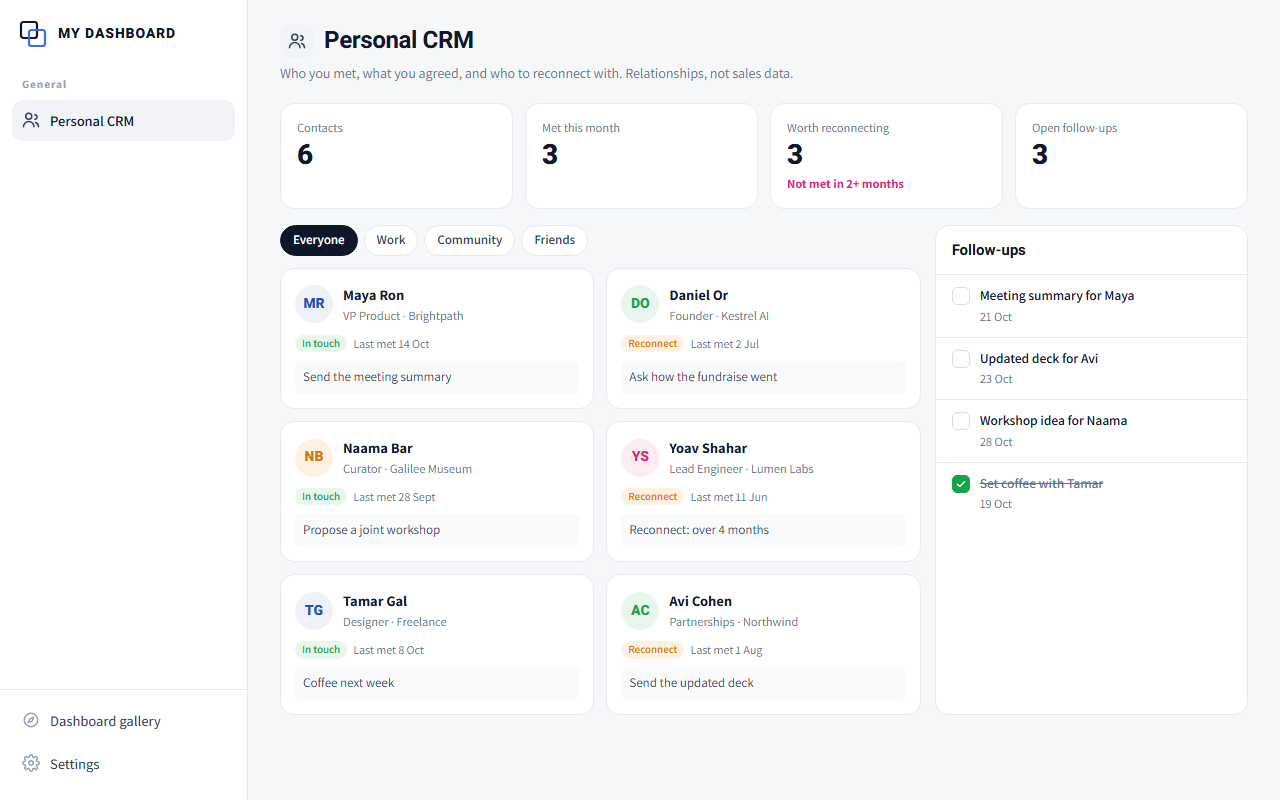
Personal CRM: All previews show sample data only.
Coming soon
ניהול קשרים אישיים

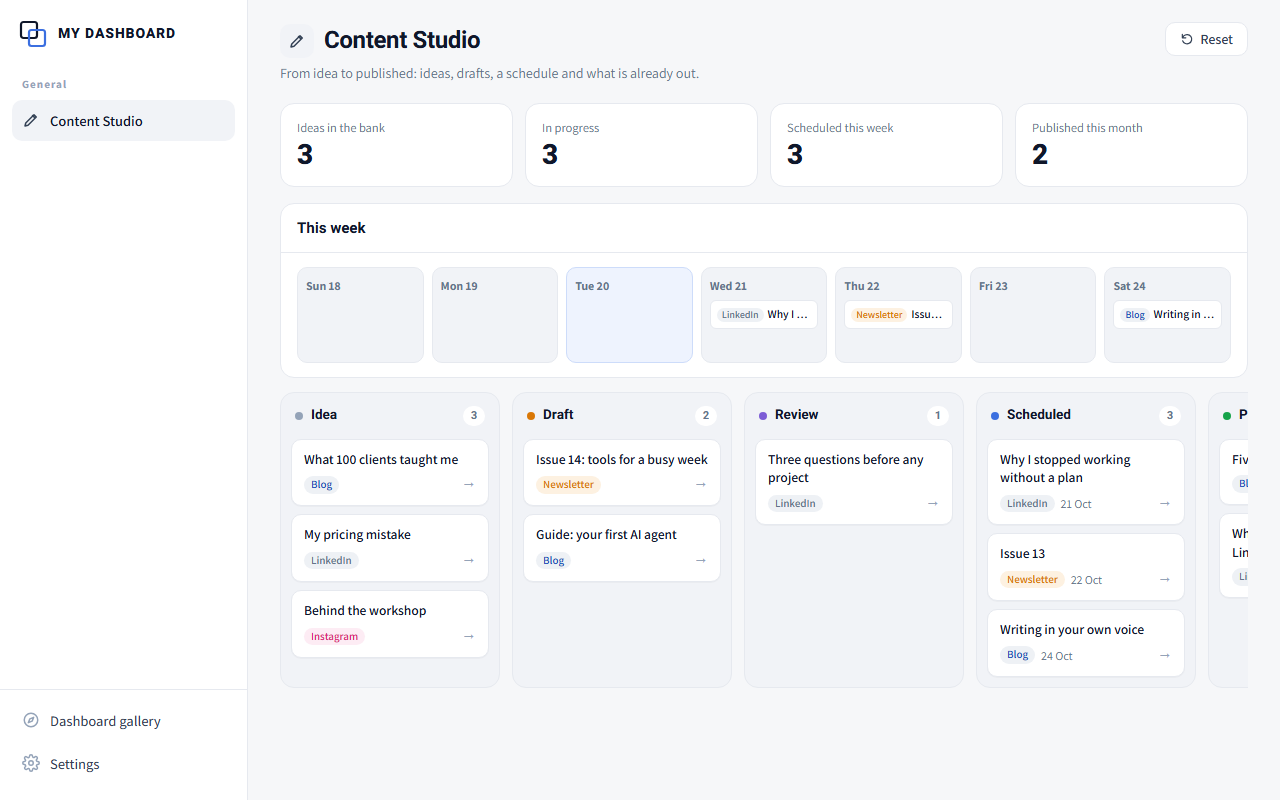
Personal CRM

Who you met, what you agreed, and who to reconnect with. Relationships, not sales data.
Build prompt

Personal CRM

  1. Copy the prompt.
  2. Open Claude Code, Codex or a desktop AI app that works with folders, and paste it.
  3. Answer a few short questions and get your own dashboard, empty and ready to fill.
Dashboard language
The AI will talk to you in English and build the dashboard in English.

Already installed one? The AI finds the ChatToDash folder on your computer and asks whether to add to it, so all your dashboards share one menu.

More details
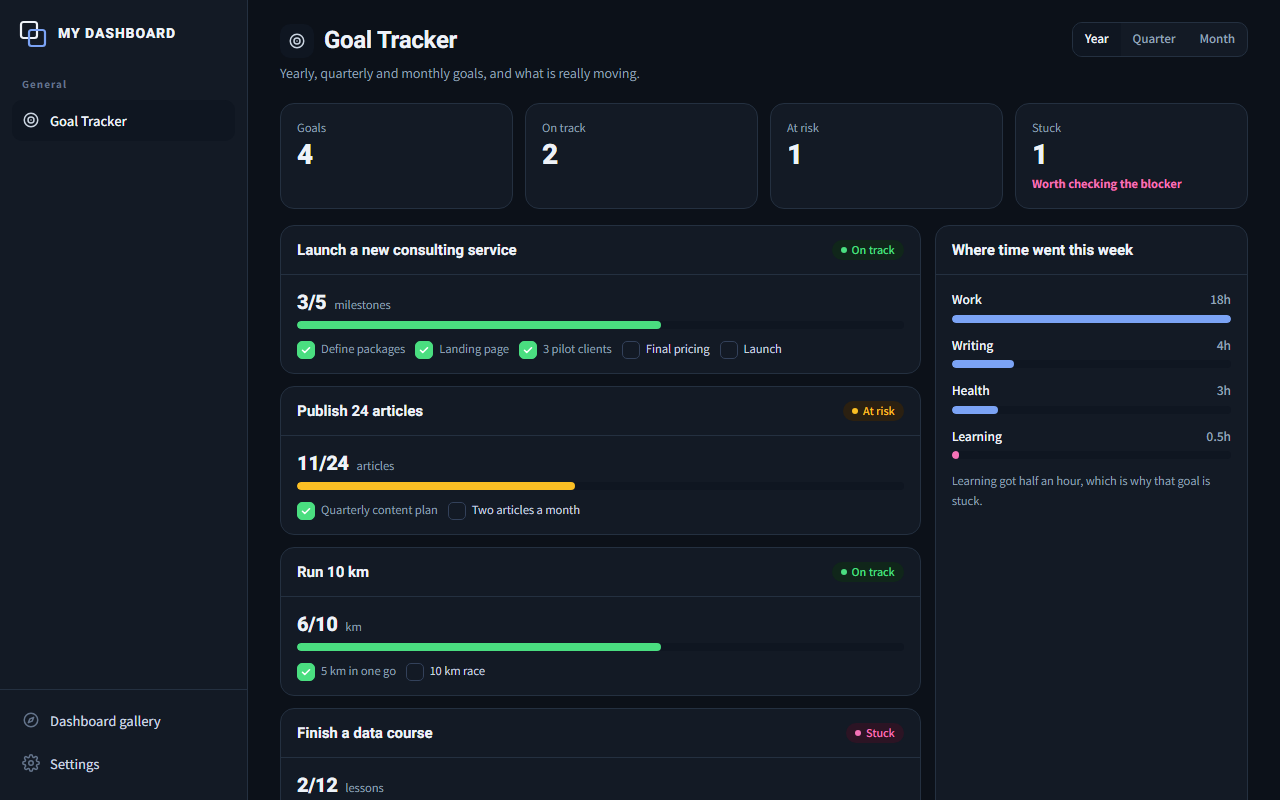
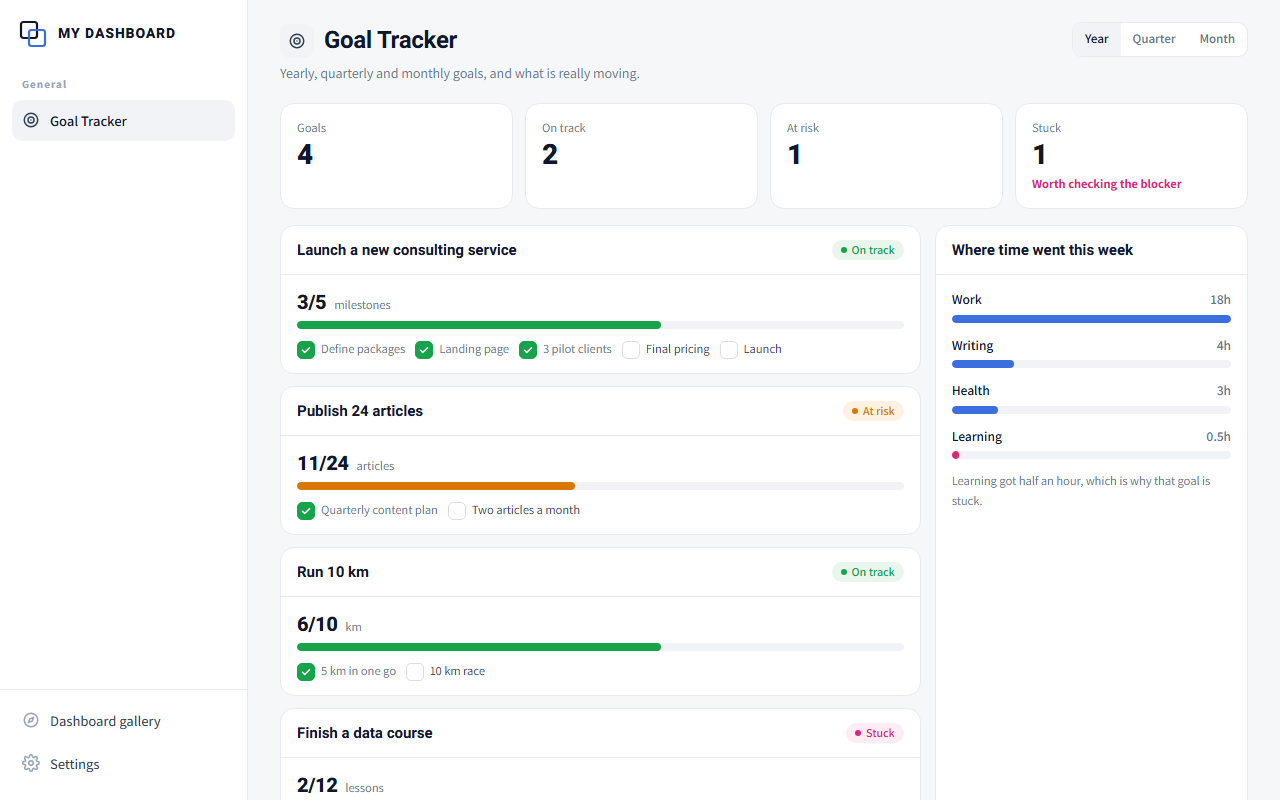
Goal Tracker: All previews show sample data only.
Coming soon
מטרות ויעדים

Goal Tracker

Yearly, quarterly and monthly goals, and what is really moving.
Build prompt

Goal Tracker

  1. Copy the prompt.
  2. Open Claude Code, Codex or a desktop AI app that works with folders, and paste it.
  3. Answer a few short questions and get your own dashboard, empty and ready to fill.
Dashboard language
The AI will talk to you in English and build the dashboard in English.

Already installed one? The AI finds the ChatToDash folder on your computer and asks whether to add to it, so all your dashboards share one menu.

More details
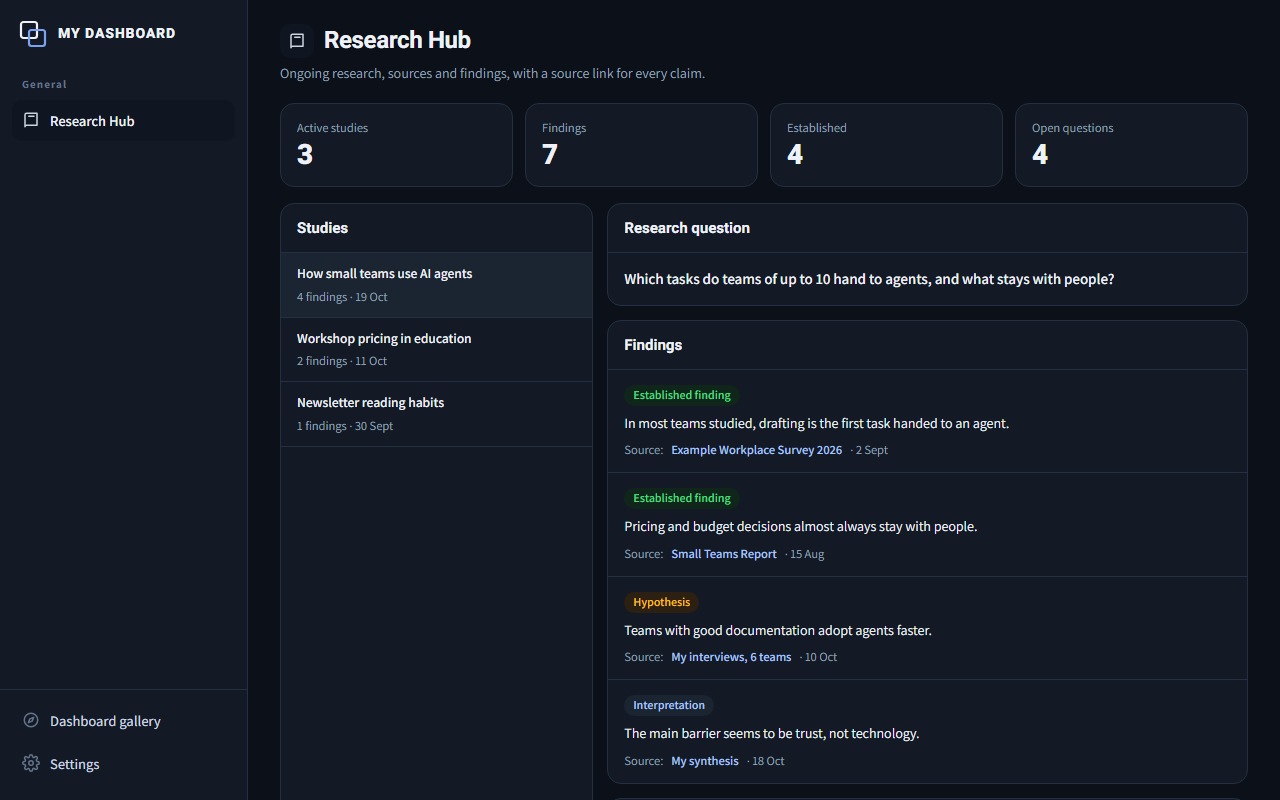
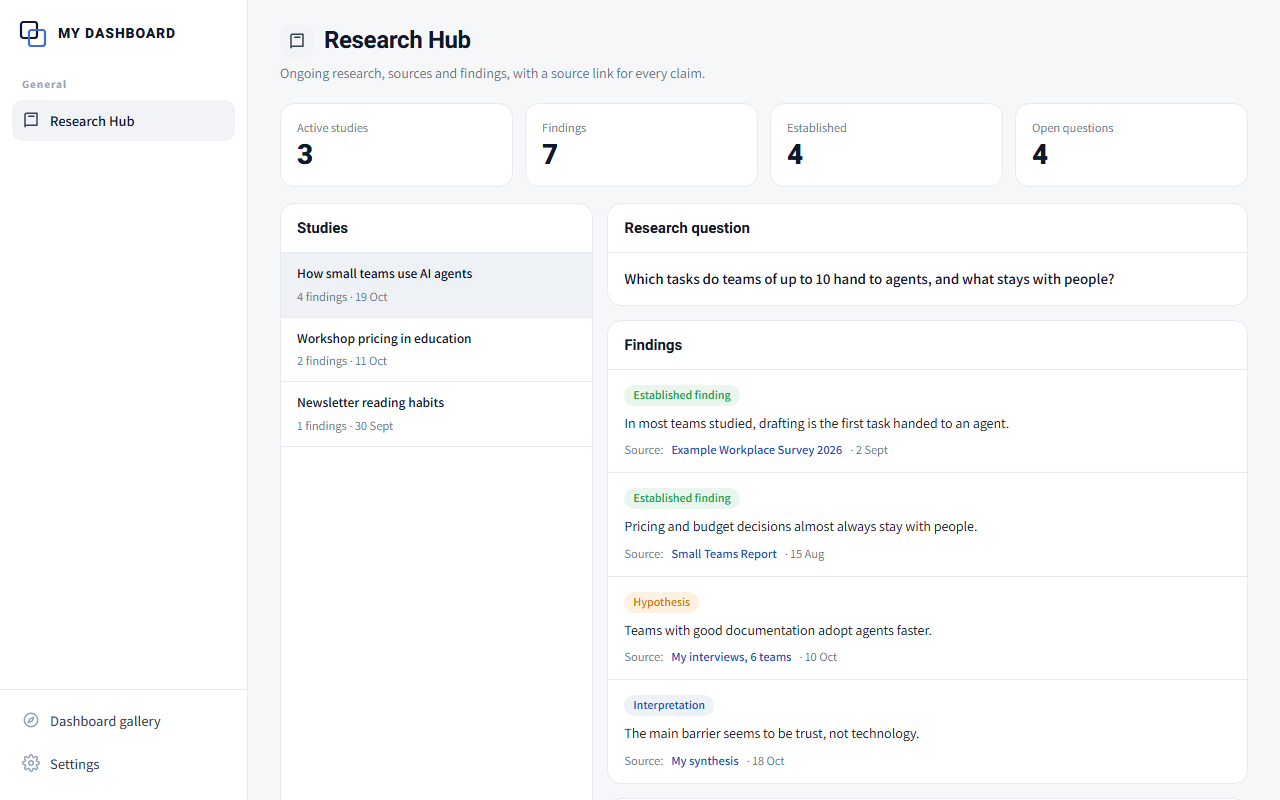
Research Hub: All previews show sample data only.
Coming soon
מרכז מחקר

Research Hub

Ongoing research, sources and findings, with a source link for every claim.
Build prompt

Research Hub

  1. Copy the prompt.
  2. Open Claude Code, Codex or a desktop AI app that works with folders, and paste it.
  3. Answer a few short questions and get your own dashboard, empty and ready to fill.
Dashboard language
The AI will talk to you in English and build the dashboard in English.

Already installed one? The AI finds the ChatToDash folder on your computer and asks whether to add to it, so all your dashboards share one menu.

More details
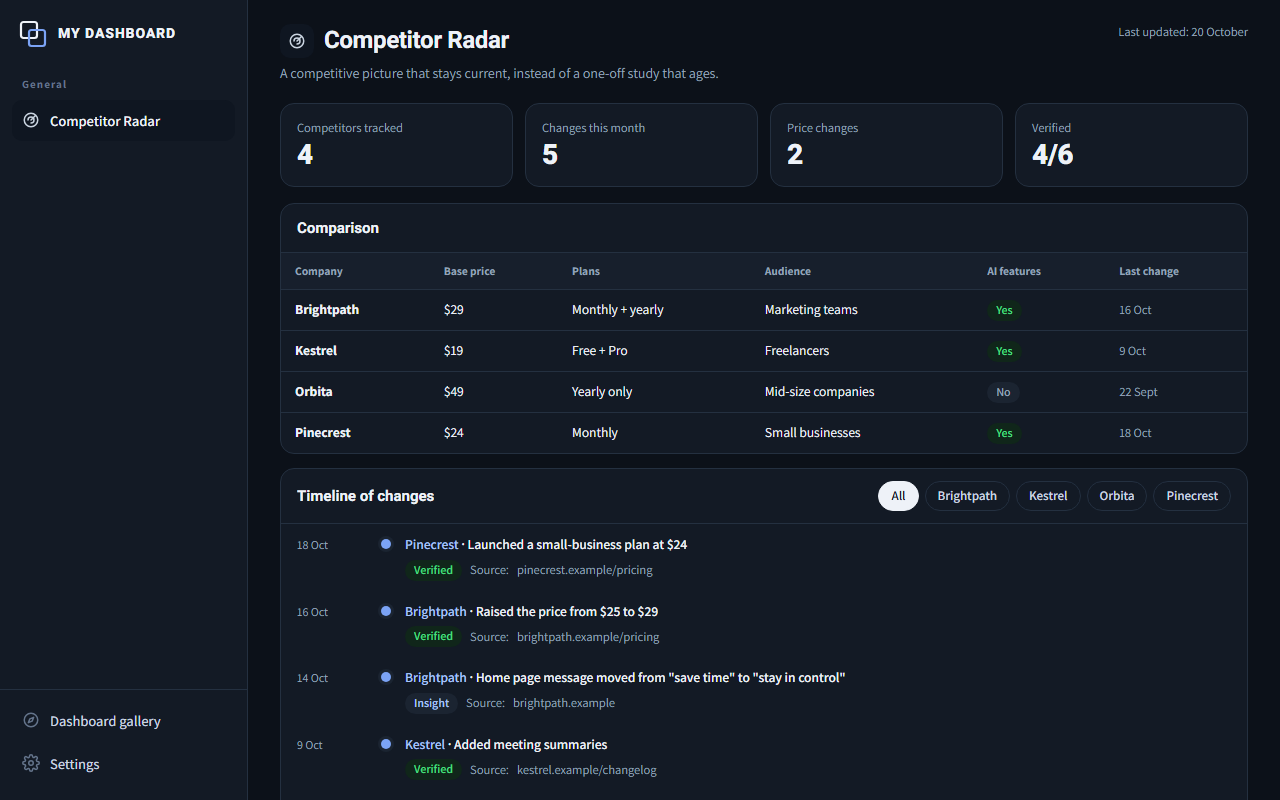
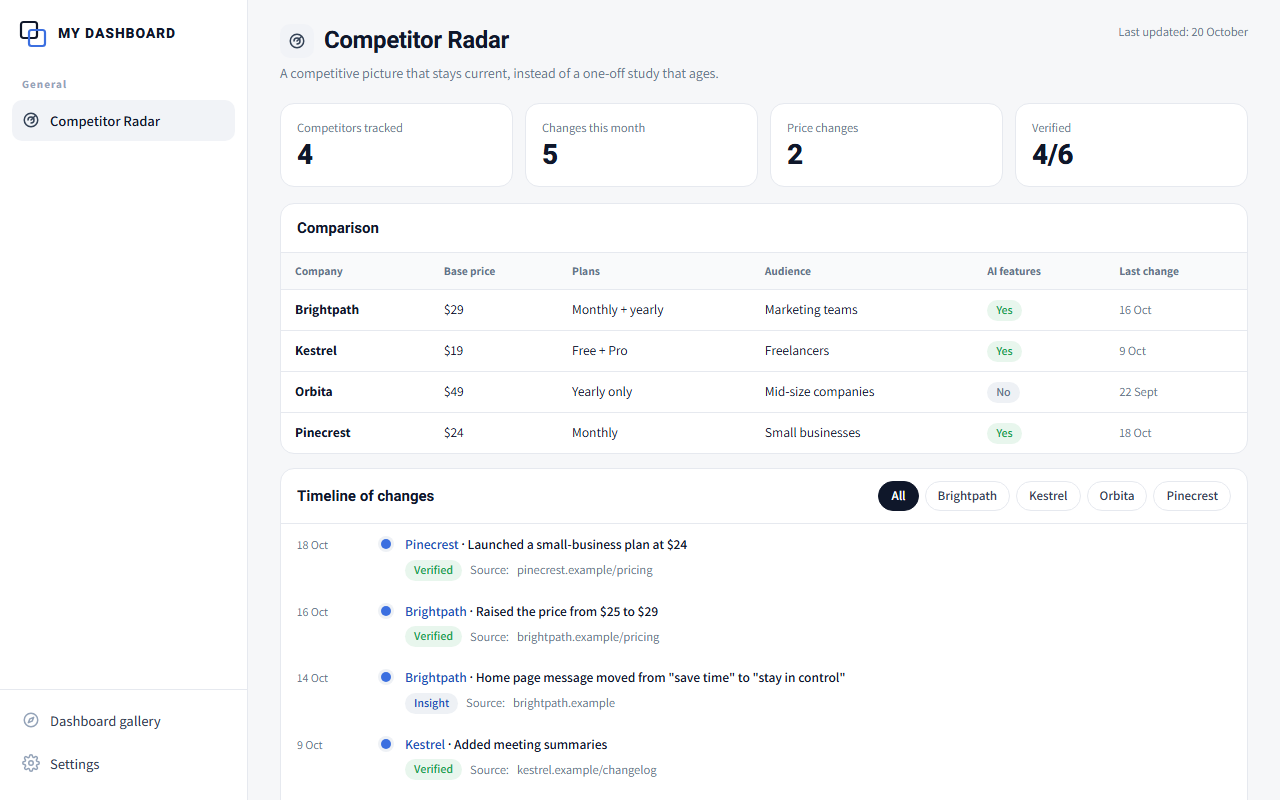
Competitor Radar: All previews show sample data only.
Coming soon
מעקב מתחרים

Competitor Radar

A competitive picture that stays current, instead of a one-off study that ages.
Build prompt

Competitor Radar

  1. Copy the prompt.
  2. Open Claude Code, Codex or a desktop AI app that works with folders, and paste it.
  3. Answer a few short questions and get your own dashboard, empty and ready to fill.
Dashboard language
The AI will talk to you in English and build the dashboard in English.

Already installed one? The AI finds the ChatToDash folder on your computer and asks whether to add to it, so all your dashboards share one menu.

More details
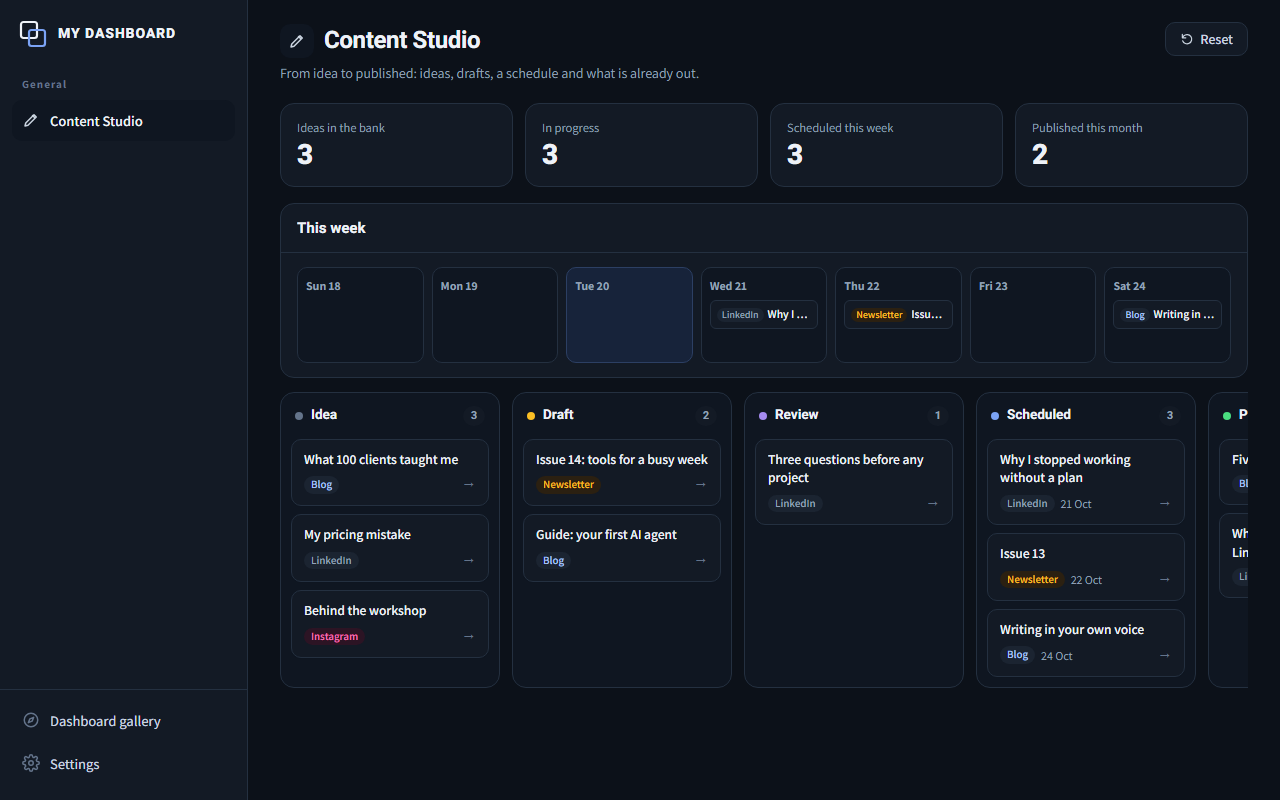
Content Studio: All previews show sample data only.
Coming soon
סטודיו לתוכן

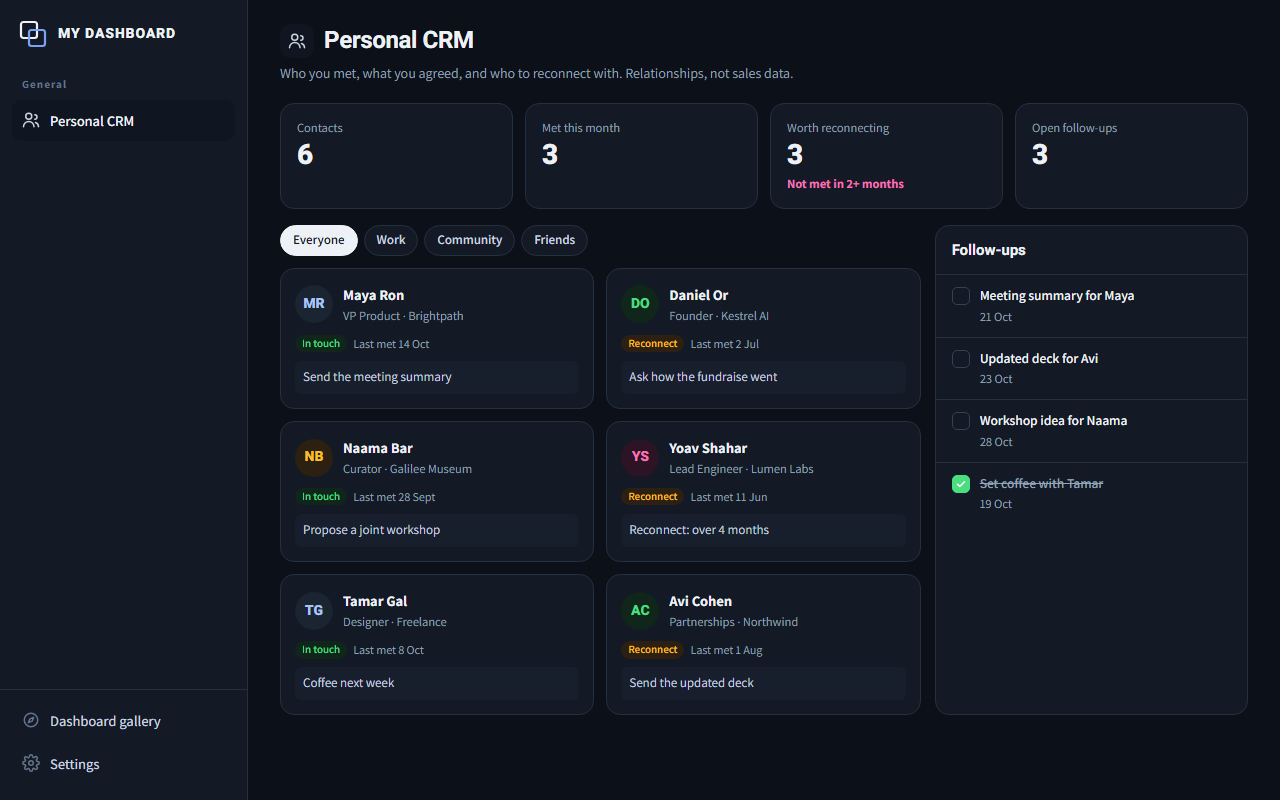
Content Studio

From idea to published: ideas, drafts, a schedule and what is already out.

Build prompt

Content Studio

  1. Copy the prompt.
  2. Open Claude Code, Codex or a desktop AI app that works with folders, and paste it.
  3. Answer a few short questions and get your own dashboard, empty and ready to fill.
Dashboard language
The AI will talk to you in English and build the dashboard in English.

Already installed one? The AI finds the ChatToDash folder on your computer and asks whether to add to it, so all your dashboards share one menu.

More details

All previews show sample data only.